---
title: "Transactions"
description: "Browse transactions over a time range."
icon: "receipt"
---
> **For AI agents:** the complete documentation index is at [llms.txt](/llms.txt). Append `.md` to any page URL for its markdown version.
Transactions has **limited availability** and is enabled per tenant. If you don't see it in
the sidebar, it isn't enabled for your organization.
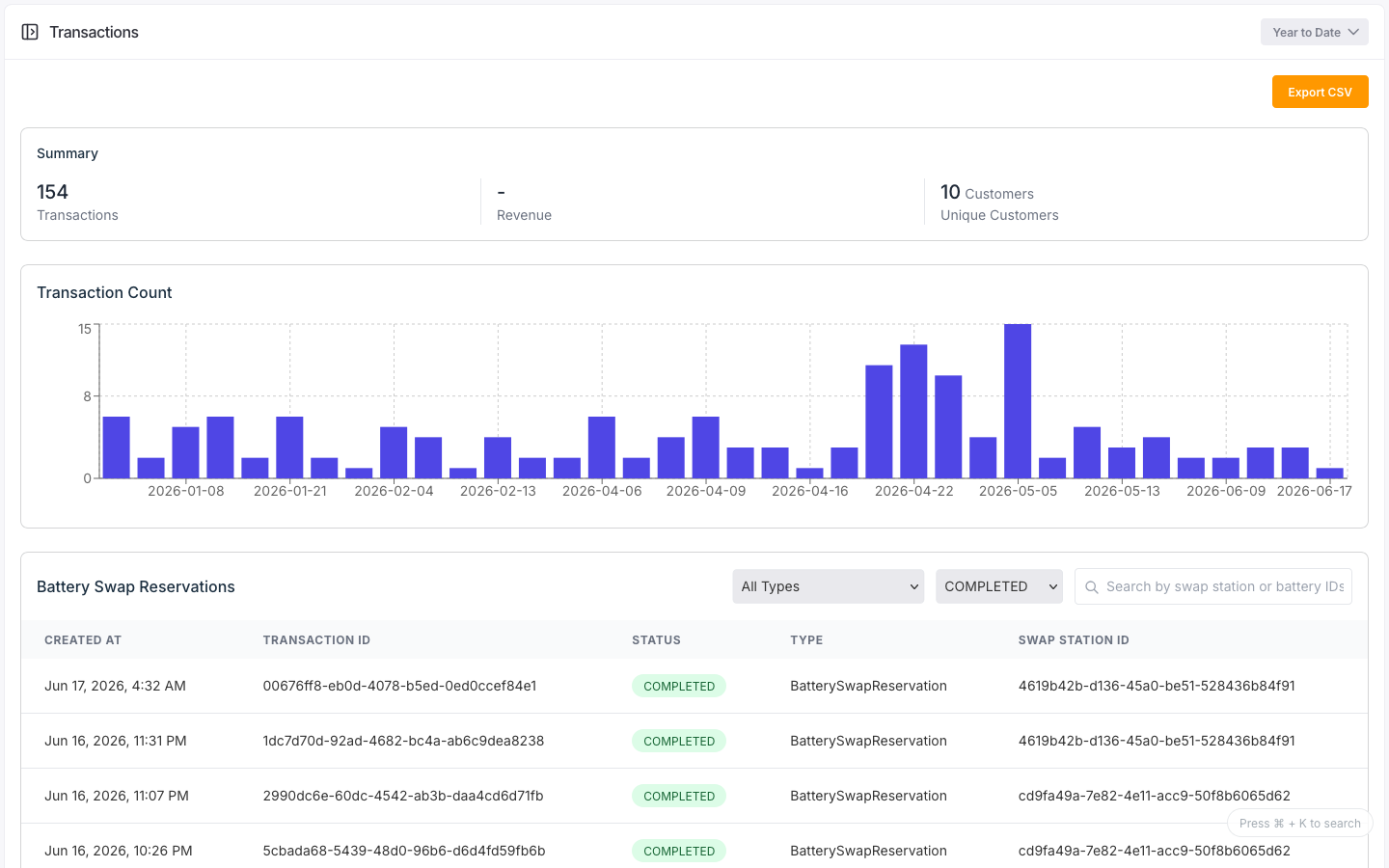
The **Transactions** page lists for example: reservation transactions for a time range. It
shows a summary of transactions and unique customers, a daily transaction-count chart, and a
table of reservations you can filter and search. Click a row to open a read-only detail view.
Filtering, search, and paging all run on the loaded data; only the time range queries the
backend.
 ## Configuration
| Control | Options |
|---------|---------|
| Time range | The header time-range selector; the only control that queries the backend |
| Type filter | All, or any transaction type present in the data |
| Status filter | All, or any status present in the data |
| Search | Matches swap-station and battery ids |
The table shows each reservation's created time, id, status, type, and swap station.
## States
### Transaction status
| Status | Meaning |
|--------|---------|
| `PENDING` | Reserved, not yet started |
| `IN_PROGRESS` | Underway |
| `COMPLETED` | Finished |
| `FAILED` | Did not complete |
| `CANCELLED` | Cancelled |
| `EXPIRED` | Reservation expired |
### Summary
The summary shows the transaction count and the number of unique customers for the filtered
range.
### Detail view
The reservation detail is read-only: transaction id, status, type, device and owner ids, place,
resource ids, expiration, and created/updated timestamps. Missing values show
as `-`.
## Control transactions
A separate **Control Transactions** view (also enabled per tenant) lists device control
commands: their control type, status, device, and place. Each control transaction has a
timeline of control events.
## API
Transaction endpoints are **coming soon** to the v2 API. For now, browse transactions in the
console.
## Configuration
| Control | Options |
|---------|---------|
| Time range | The header time-range selector; the only control that queries the backend |
| Type filter | All, or any transaction type present in the data |
| Status filter | All, or any status present in the data |
| Search | Matches swap-station and battery ids |
The table shows each reservation's created time, id, status, type, and swap station.
## States
### Transaction status
| Status | Meaning |
|--------|---------|
| `PENDING` | Reserved, not yet started |
| `IN_PROGRESS` | Underway |
| `COMPLETED` | Finished |
| `FAILED` | Did not complete |
| `CANCELLED` | Cancelled |
| `EXPIRED` | Reservation expired |
### Summary
The summary shows the transaction count and the number of unique customers for the filtered
range.
### Detail view
The reservation detail is read-only: transaction id, status, type, device and owner ids, place,
resource ids, expiration, and created/updated timestamps. Missing values show
as `-`.
## Control transactions
A separate **Control Transactions** view (also enabled per tenant) lists device control
commands: their control type, status, device, and place. Each control transaction has a
timeline of control events.
## API
Transaction endpoints are **coming soon** to the v2 API. For now, browse transactions in the
console.