
Devices
Browse devices, read their telemetry, and manage their configuration.
A Device is a single piece of hardware or asset: an electric scooter, golf cart, forklift, charger, or meter, or anything you onboard. It's the platform's Thing entity, an instance of a Thing Type, and it belongs to exactly one Place: a Site (optionally at a level) or a Fleet. Devices report telemetry that powers their charts, stats, and online state.
You can see every device in your organization, search and filter them, and open any one to view its details. From a device you can edit it, transfer it to another Place, or delete it.
Detail tabs
| Tab | Shows |
|---|---|
| Overview | Map, latest stats, signal strength, telemetry chart, alerts, monitors, properties, attributes |
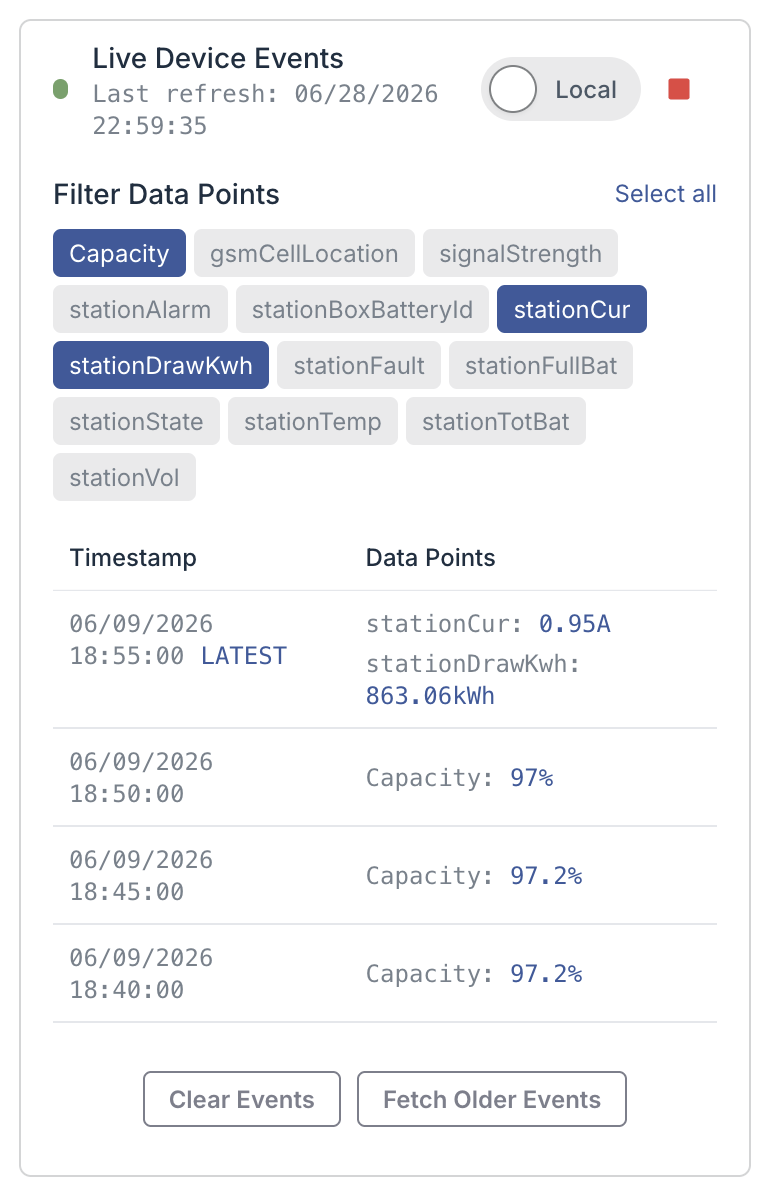
| Data Explorer | Raw and binned events over a time range, with per-series filtering |
| Security | Device certificates and policies |
| Controls | Type-specific control actions (where supported) |
The Controls tab is type-specific: swap stations expose real controls, batteries show a simulated control panel, and other types show "Controls are not supported for this device."
Configuration
Device fields
Used when adding or editing a device.
| Field | Type | Required | Notes |
|---|---|---|---|
| Place | select | Yes | A site or fleet; sets the device's placeType |
| Level | select | Site only | Required when the Place is a site |
| Type | select | Yes | The device's thing type |
| Name | string | Yes | |
| Description | string | Yes | |
| Address | string | No | |
| Manufacturer / Model | select or text | No | Picklists when the type has known models |
| Manufacturer ID | string | No | The device's id in the manufacturer's system |
| Latitude / Longitude | number | Yes | |
| Altitude | number | No | |
| Properties | typed key/value | No | Keys come from the thing type's property schema |
| Attributes | free key/value | No | Arbitrary metadata |
| Simulated | checkbox | No | Marks the device as part of a simulation |
Finding devices
- Type filter: all types, or one type.
- Status filter: any, online, offline, deployed, or uninitialized (also set via
?status=). - Search: matches type, name, description, and place type.
- Sort: by Type, Place Type, Name, or Description.
States
Device state
Each device resolves to one of four states from its last event time and reporting interval.
| State | Label | Meaning |
|---|---|---|
online | Online | Reported within its reporting interval |
offline | Offline | No event within the reporting interval |
unknown | Deployed | No reporting interval set, so freshness can't be judged |
uninitialized | Uninitialized | Has never reported an event |
The reporting interval defaults to 60 minutes when the device doesn't set one. If device data fails to load, devices fall back to Deployed.
Control transactions
A control action (Controls tab) runs as a transaction with one of three statuses:
IN_PROGRESS, COMPLETED, or FAILED.
Telemetry and binning
The Data Explorer adapts resolution to the time range: raw events up to a day, then 15-minute,
1-hour, and 1-day bins as the window grows. The signal-strength card appears only when the
device reports a Signal metric.
API
Send your API key in the X-Api-Key header. A device is a Thing. Reads need a read scope;
create, update, and delete need write. Place-scoped create and list endpoints take a sites
or fleets segment plus the Place {placeId}.
Manage devices
| Method | Path | Purpose |
|---|---|---|
GET | /v2/things | List all devices |
GET | /v2/things/{thingId} | Get one device |
GET | /v2/sites/{placeId}/things | List devices in a site |
GET | /v2/fleets/{placeId}/things | List devices in a fleet |
POST | /v2/sites/{placeId}/things | Create a device in a site |
POST | /v2/fleets/{placeId}/things | Create a device in a fleet |
PUT | /v2/things/{thingId} | Update a device |
DELETE | /v2/things/{thingId} | Soft-delete a device |
PUT | /v2/things/{thingId}/properties/{key} | Set a property |
DELETE | /v2/things/{thingId}/properties/{key} | Delete a property |
Read telemetry
| Method | Path | Purpose |
|---|---|---|
GET | /v2/things/{thingId}/timeseries | Time-series, binned by binUnit/binValue |
GET | /v2/things/{thingId}/summary | Aggregated summary values |
GET | /v2/things/{thingId}/events | Raw or binned events over a window |
GET | /v2/things/{thingId}/latest-event-time | Last event timestamp |
See Querying data for the query parameters and response shapes.