
Transactions
Browse transactions over a time range.
Transactions has limited availability and is enabled per tenant. If you don't see it in the sidebar, it isn't enabled for your organization.
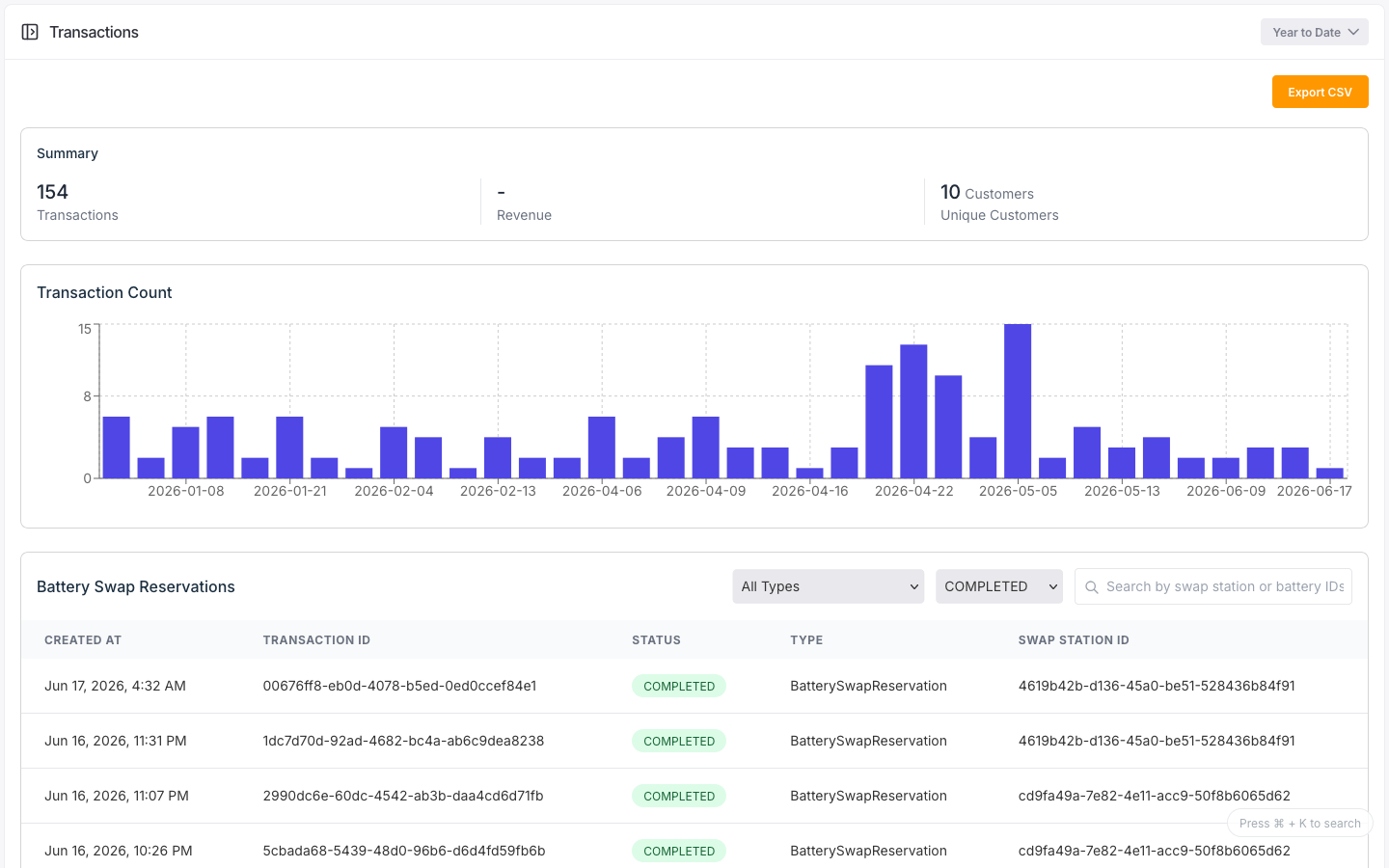
The Transactions page lists for example: reservation transactions for a time range. It shows a summary of transactions and unique customers, a daily transaction-count chart, and a table of reservations you can filter and search. Click a row to open a read-only detail view. Filtering, search, and paging all run on the loaded data; only the time range queries the backend.
Configuration
| Control | Options |
|---|---|
| Time range | The header time-range selector; the only control that queries the backend |
| Type filter | All, or any transaction type present in the data |
| Status filter | All, or any status present in the data |
| Search | Matches swap-station and battery ids |
The table shows each reservation's created time, id, status, type, and swap station.
States
Transaction status
| Status | Meaning |
|---|---|
PENDING | Reserved, not yet started |
IN_PROGRESS | Underway |
COMPLETED | Finished |
FAILED | Did not complete |
CANCELLED | Cancelled |
EXPIRED | Reservation expired |
Summary
The summary shows the transaction count and the number of unique customers for the filtered range.
Detail view
The reservation detail is read-only: transaction id, status, type, device and owner ids, place,
resource ids, expiration, and created/updated timestamps. Missing values show
as -.
Control transactions
A separate Control Transactions view (also enabled per tenant) lists device control commands: their control type, status, device, and place. Each control transaction has a timeline of control events.